
Records, privacy and banned lists
After an incident, what records show a bar checked IDs?
Published November 17, 2026 · 7 sources linked
The short answer
A scan or written ID check record, staff schedule, training records, signed door policy and security video can show what happened at the door. Arizona's alcohol law says a licensee or employee who follows its ID check steps and keeps a record of the ID for that visit is not in violation of the underage provisions it names, and presumes that one with no record did not follow the steps. Washington's penalty rules count signed policy acknowledgments and training plans, while California's guidelines list documented training among mitigating factors.
ID check records at a glance
- What shows the check
- A scan or written record of the ID, with the time, the staff member and the decision
- Arizona
- Keeping a record of the ID for that visit is part of the alcohol law's defense
- Washington and California
- Signed policy acknowledgments and documented training can count toward a lighter penalty
- Texas
- Records that each employee read the written policies, kept a year after they leave
AgeShield ID Scanner
A record of every scan and decision
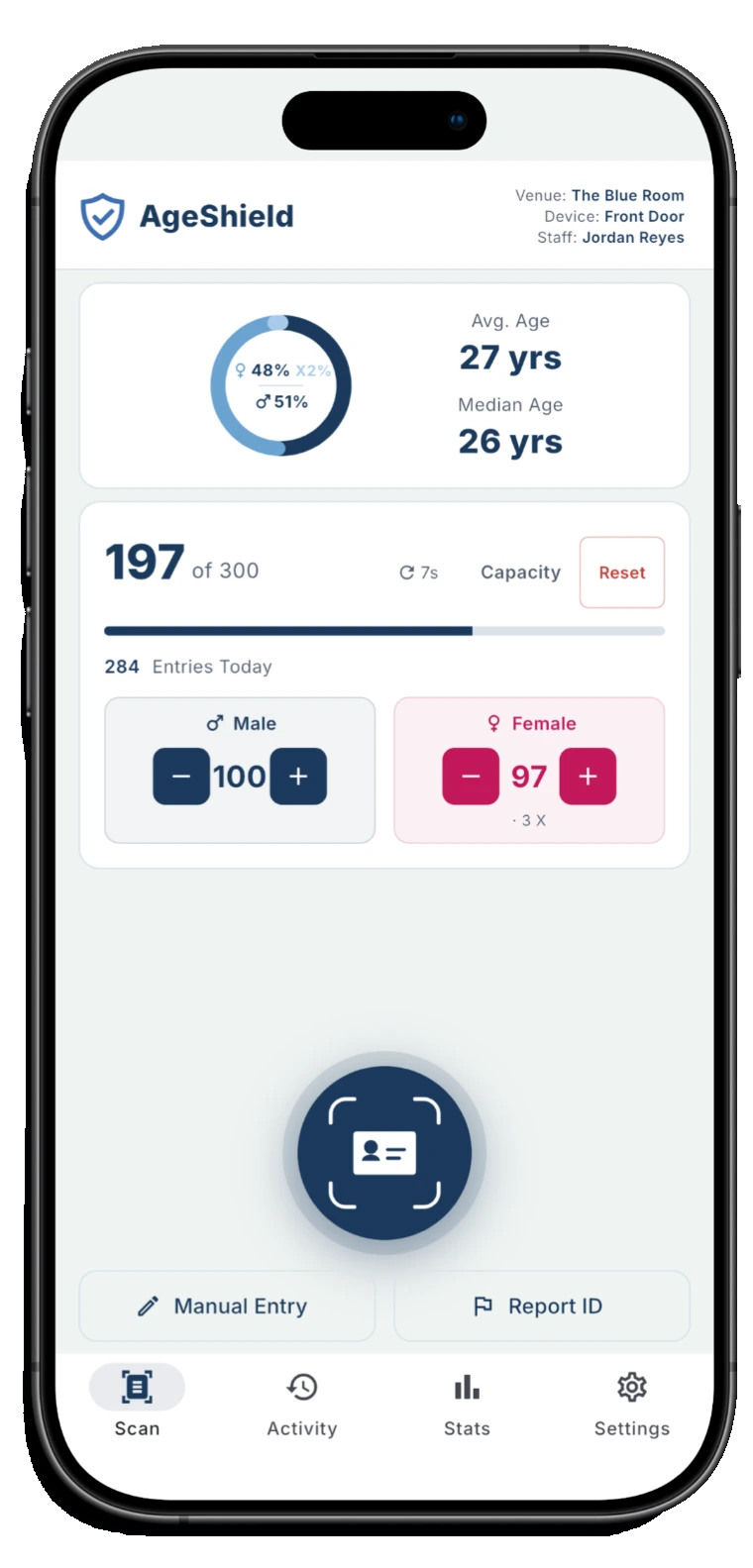
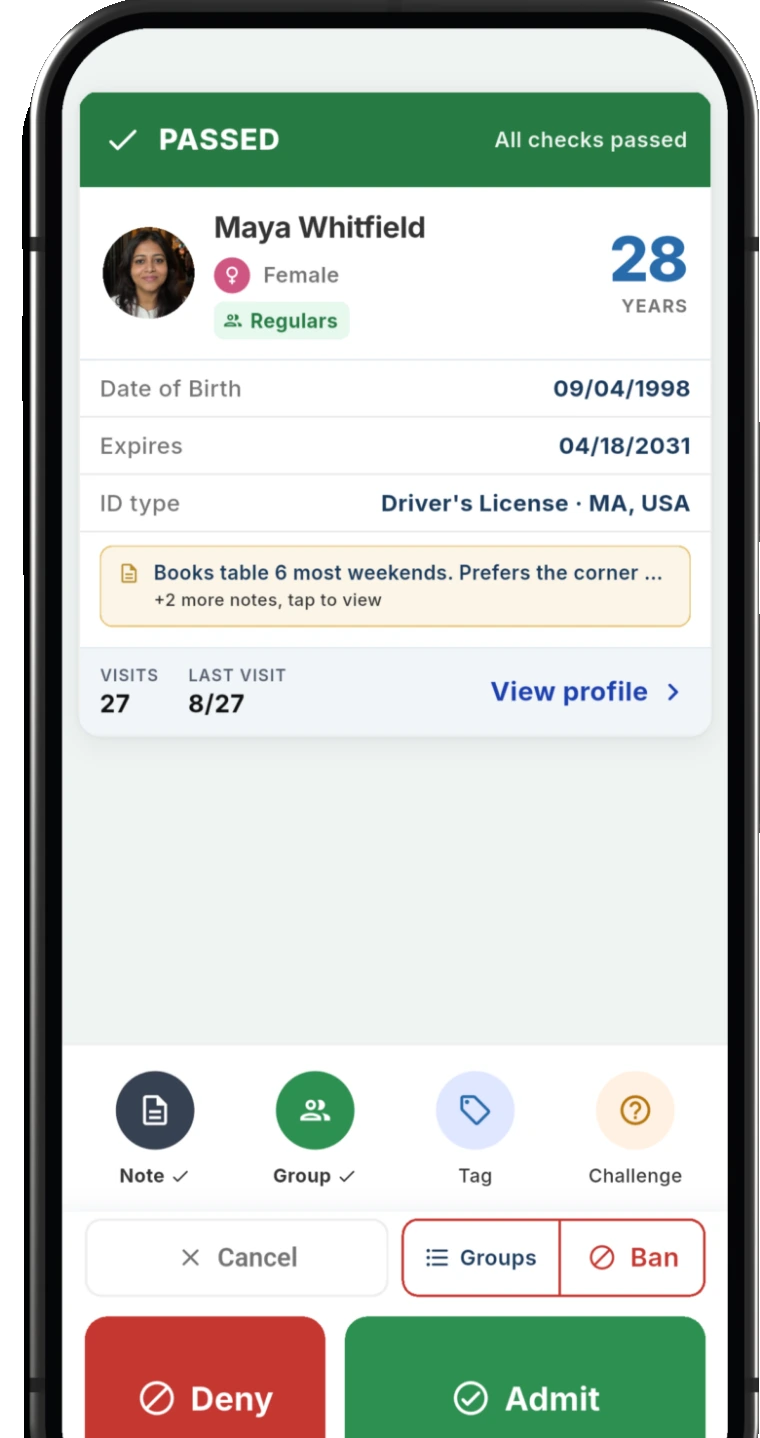
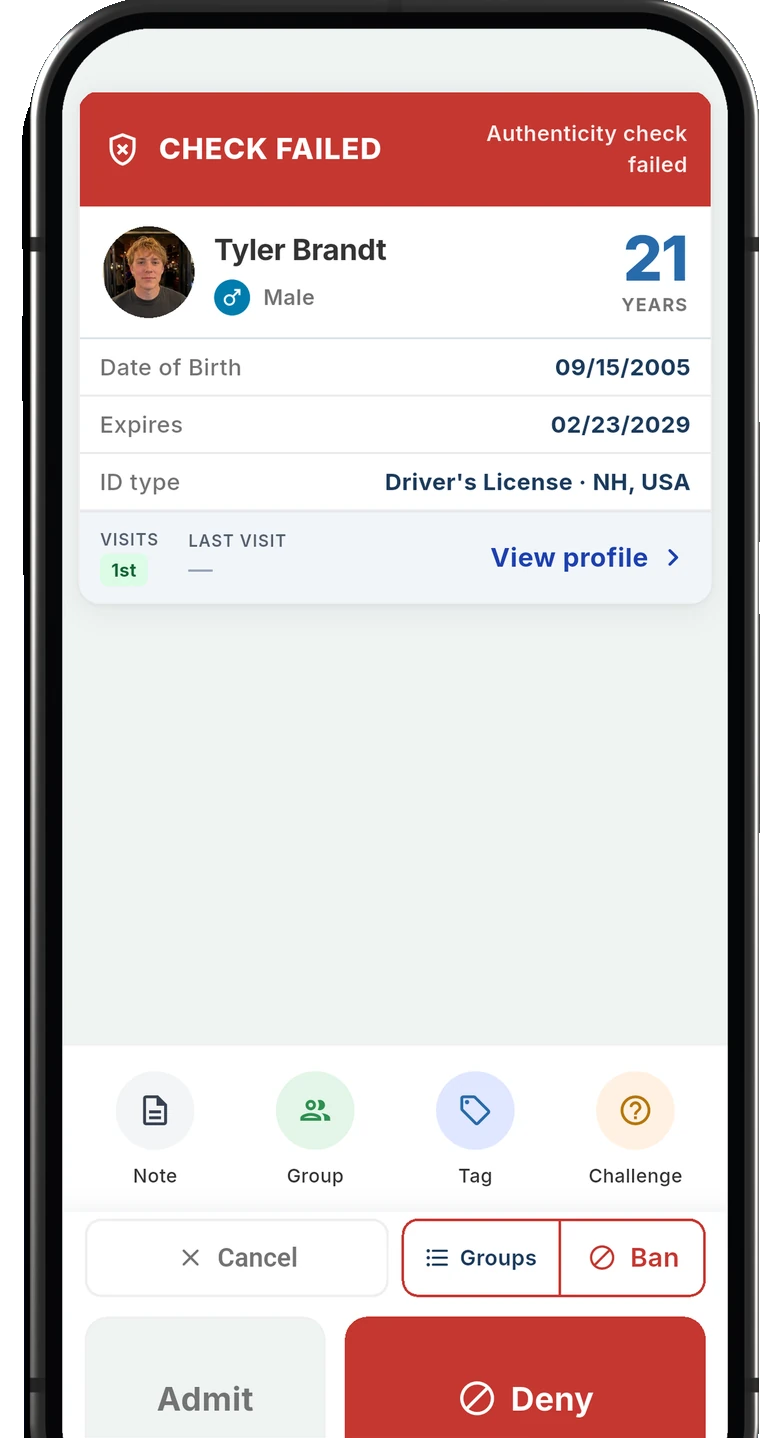
Each scan records who scanned, when, the document type, the result and what staff decided. Owners and managers can export the audit log as CSV, Excel or PDF.
What the records need to answer
An incident can be a sale to a minor, a failed compliance check, a fight at the door or a complaint from a guest. Afterwards the questions are much the same: who was working the door, whether staff asked for an ID, which ID they saw and what they decided.
No single record answers every question. The ID check record covers the guest and the decision, the schedule covers who was on shift and video covers what happened around the check.
What state law says about records of an ID check
Several states give a record of an ID check, or the training behind it, weight when something goes wrong. Four examples follow, and ID scanning laws by state has a guide for every state.
Arizona: the record is part of the defense
When staff question, or have reason to question, whether someone ordering alcohol or entering an area mainly used for serving it is under the legal drinking age, Arizona's law sets four steps: ask for ID, check that it reasonably appears valid and unaltered, compare the photo with the person and confirm the date of birth. A licensee or employee who follows those steps and records and keeps a record of the ID for that visit is not in violation of the provisions it names, which cover selling to someone under the legal drinking age and letting them remain in a bar area.
Proof that staff followed every step but kept no record is an affirmative defense to a criminal charge or disciplinary action under those provisions. Neither defense applies to staff who actually knew the person was under age.
A licensee or an employee who has not recorded and retained a record of the identification as prescribed by subsection B of this section is presumed not to have followed any of the elements prescribed in subsection A of this section.
The statute accepts five forms of record:
- A writing with the type of ID, its issue date, the name and date of birth on it and the person's signature
- An electronic file or printed document produced by a device that reads the person's age from the ID
- A dated and signed photocopy of the ID
- A photograph of the ID
- A digital copy of the ID
Washington and California: policies and training on file
Washington's penalty rules say demonstrated business policies and practices that reduce the risk of future violations can mean fewer days of suspension or a lower monetary option. The rule's examples are a signed acknowledgment of the alcohol policy on file for each employee and a training plan with annual training on liquor laws. California's guidelines list documented training of the licensee and employees among their mitigating factors, together with positive action to correct a problem.
Texas: records that staff read the policies
Under section 106.14, an employee's sale is not held against a business that meets its training conditions and did not encourage the violation. TABC's rule presumes the business indirectly encouraged it if TABC shows the business fell short of any of five standards. One of them is keeping records, for at least a year after an employee leaves, that show each employee read and understood the current written policies. The TABC stings guide sets out the other four.
On September 22, 2026, TABC voted to propose changes to this rule. The proposal keeps the one-year records standard and adds that the records may be kept electronically. Since comments closed on November 9, 2026, the proposal can be adopted at a later commission meeting.
Utah: a record kept for a set time
Some laws limit the record instead. Under Utah's electronic verification program, the state sets security measures so that bars, taverns, restaurants and other covered licensees use the information from the check only to verify age and keep it for seven days after the day they obtain it. Other states limit what a scan may keep or bar keeping it at all; what a bar sees when it scans your ID sets out six of them.
A.R.S. 4-241WAC 314-29-015California ABC: Disciplinary guidelinesTABC Administrative Rules, 16 TAC 34.20 (TABC, PDF)TABC: Code and rulesTABC, proposed amendments to 16 TAC 34.1 to 34.20, September 2026 (PDF)Utah Code 32B-1-407
What to pull together after an incident
Records can disappear or be overwritten, particularly video.
Pin down the time
Write down the date, the time window and where it happened: the door, the bar or the register. Every other record is searched by that window.
Pull the ID check records
Export the scans for that window, or copy the pages of a written log. Note who checked, which ID was shown, the result and what staff decided.
Save the video
Security systems record over old footage, so save the clip of the door and the bar for that window before anything else.
Add who was working
The schedule, plus any sign-in records, shows who was on the door and behind the bar.
Add training and policy records
Training dates and attendance, certificates where the state has a program and each employee's signed copy of the door policy.
Write down the accounts
The staff involved describe what they saw and did, in writing and with the date, while it is fresh.
After a failed compliance check the notice from the state alcohol agency sets the deadlines; the first 30 days covers that case. Door staff training covers keeping a short record of each session.
What an AgeShield scan record holds
Every AgeShield scan creates a visit record: who scanned, when, the document type, the result, the scan mode and what staff decided. Visits show up in Scan Activity and the audit log in the hub. With staff sign-in on, each scan records who made it, by personal PIN.
If staff ask a challenge question, the outcome is saved with the visit. Overrides are off for a new venue. Where the owner allows them, staff pick a reason from a fixed list, the reason is saved with the visit and the audit log records who overrode and when. There is no override for an underage result, and on Pro a visit can be tagged, for example as an incident.
The audit log covers scans, decisions and setting changes. Owners and managers can export it as CSV, Excel or PDF. Each time someone opens a guest's details or photos, the log records who, when and from which device. How a scan works lists every result the record can show.
How long the details last
Each venue chooses how long guest details are kept: 30 days by default, and up to two years on Core or five on Pro. At 0, no name, date of birth or ID digits are written to the visit record. When the time runs out, the personal details are removed and the visit stays with its decision and an age range. Guests on the Banned list keep their details until the owner decides otherwise.
The audit log keeps its record that a scan happened, with the device and the staff member, for seven years. Privacy controls has every setting.
AgeShield ID Scanner
Where AgeShield fits when you need the records
Every scan creates a visit record of who scanned, when, the document type, the result and what staff decided, and any override carries the reason staff picked. After an incident, Scan Activity and the audit log in the hub show what the door did in that window, and owners and managers can export the log.
Common questions
Does a scanner record count as a record of an ID check?
In Arizona, an electronic file or printed document produced by a device that reads the person's age from the ID is one of the five forms of record the alcohol law accepts. Other states differ: the Arizona, New York and Georgia guides cover what a scan record does in each, and ID scanning laws by state has every state's rules.
How long do ID check records have to be kept?
There is no single rule. Utah's verification program keeps the information from the check for seven days after it is obtained, and TABC's rule looks for records that each employee read the written policies, kept at least a year after the employee leaves. In AgeShield, guest details stay 30 days by default and the audit log stays seven years.
What if the door does not scan IDs?
In Arizona a written record is one of the accepted forms: the type of ID, its issue date, the name and date of birth on it and the person's signature. A dated and signed photocopy, a photograph or a digital copy of the ID are also accepted forms.
Who can see and export the audit log?
In AgeShield, owners and managers can view and export the audit log as CSV, Excel or PDF. Staff can open a guest's details, and each time they do the log records who, when and from which device.
Sources
- A.R.S. 4-241
- WAC 314-29-015
- California ABC: Disciplinary guidelines
- TABC Administrative Rules, 16 TAC 34.20 (TABC, PDF)
- TABC: Code and rules
- TABC, proposed amendments to 16 TAC 34.1 to 34.20, September 2026 (PDF)
- Utah Code 32B-1-407
This page is for informational purposes only and is not a substitute for professional legal advice. We research each rule and link its source, so you can check it against your own venue. Questions are welcome at support@ageshield.bar.
Questions about the records your door keeps?
Tell us what type of venue you run and we'll point you to the published rules we know of that may apply.