
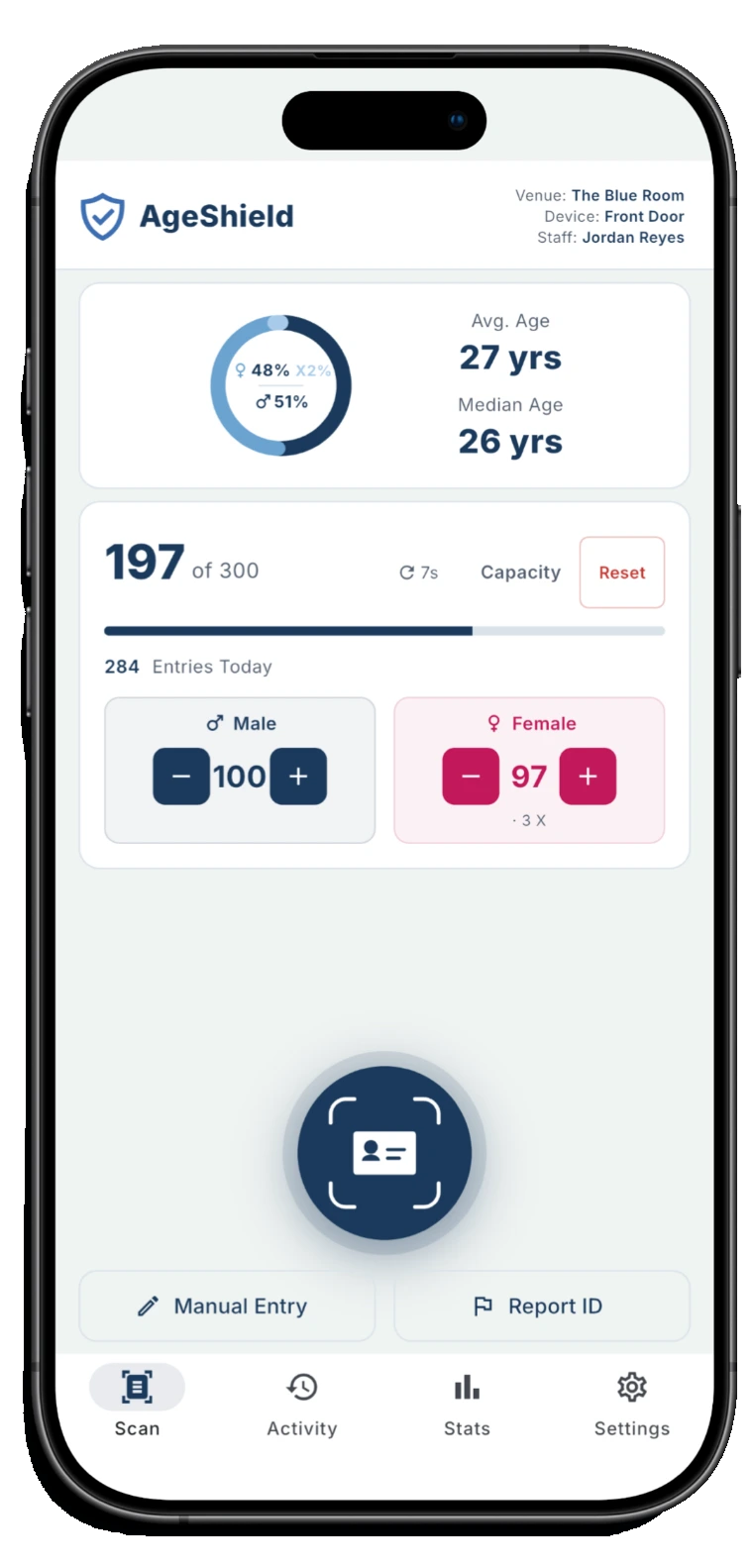
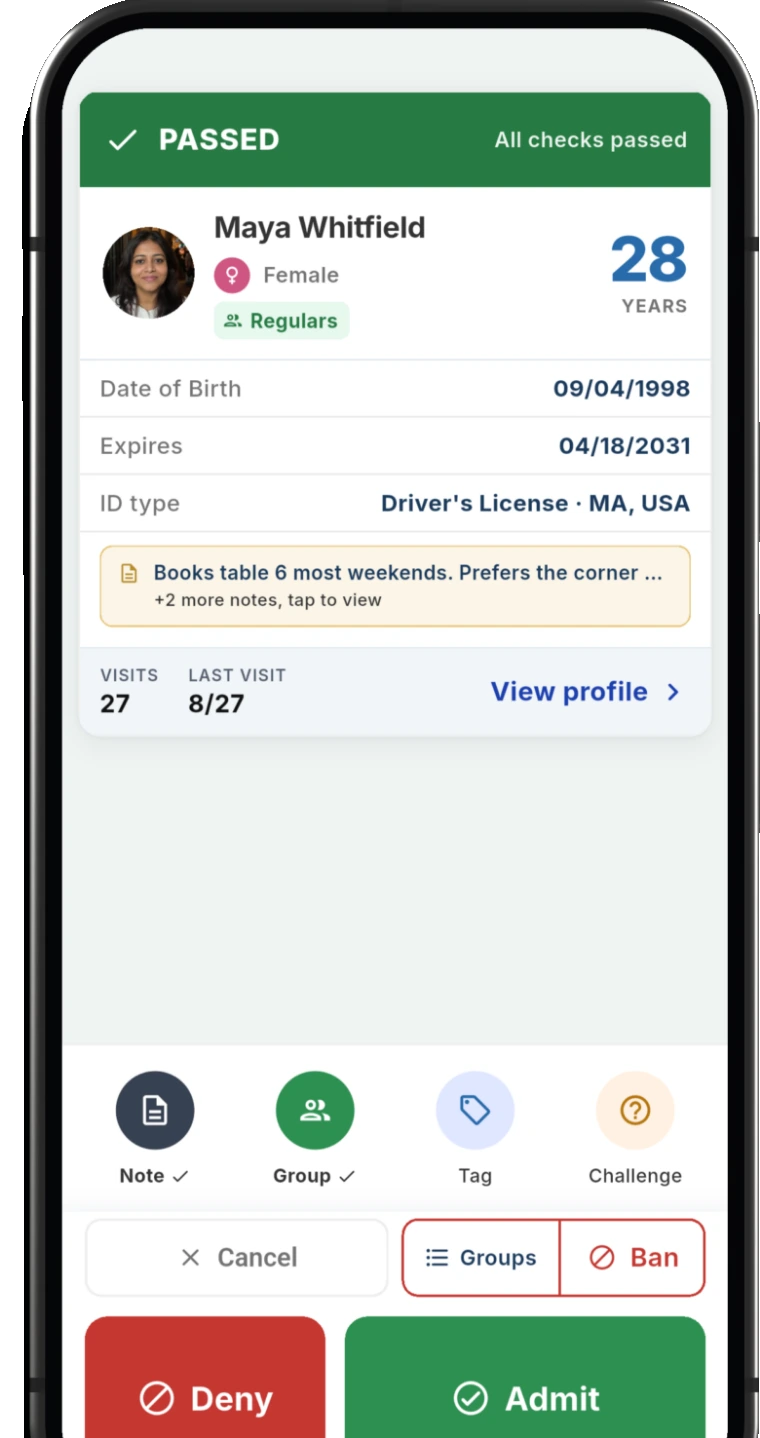
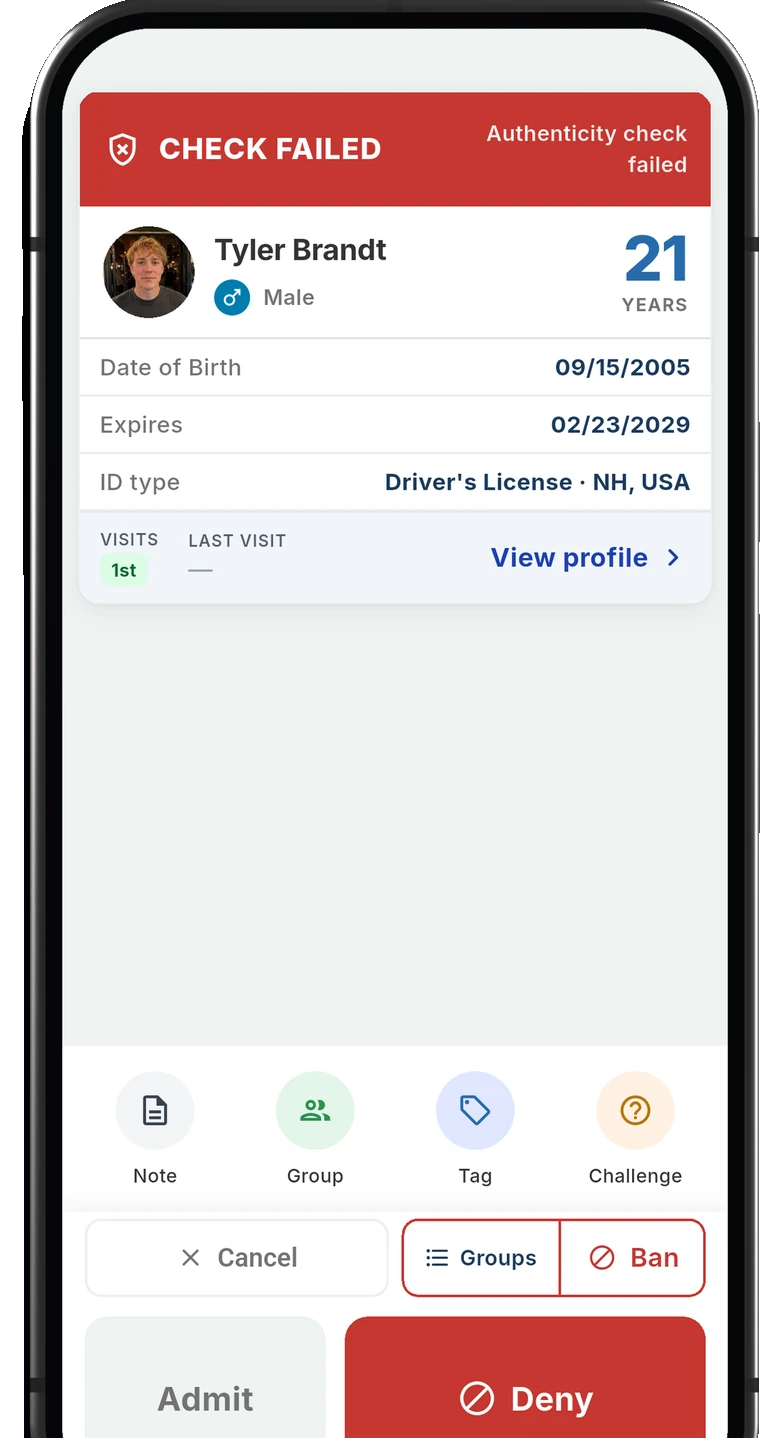
The ID scanner app for bars and clubs
AgeShield turns the phones your staff already carry into ID scanners for the door and the bar, with fake ID checks and a record of every scan.
Three devices included on every plan.
Everything your door needs
Scans your staff can run at a full door, and records you can export later.
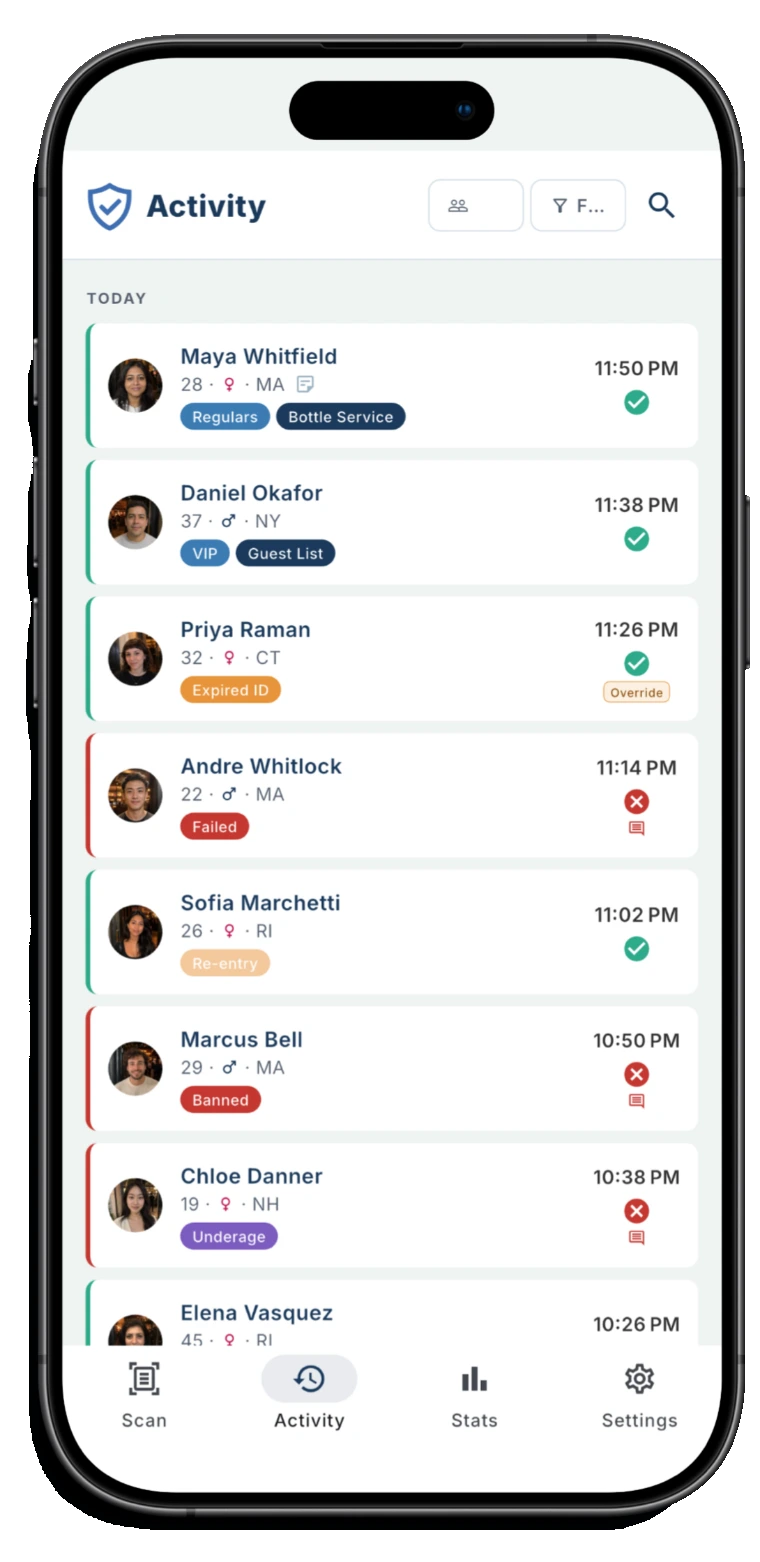
- Driver's licenses, state IDs and passports
- Fake ID checks
- Works with no signal
- Records you can export
Reads the IDs that come to your door
Driver's licenses from any country, US state IDs, US green cards and passports
Checks for fake IDs
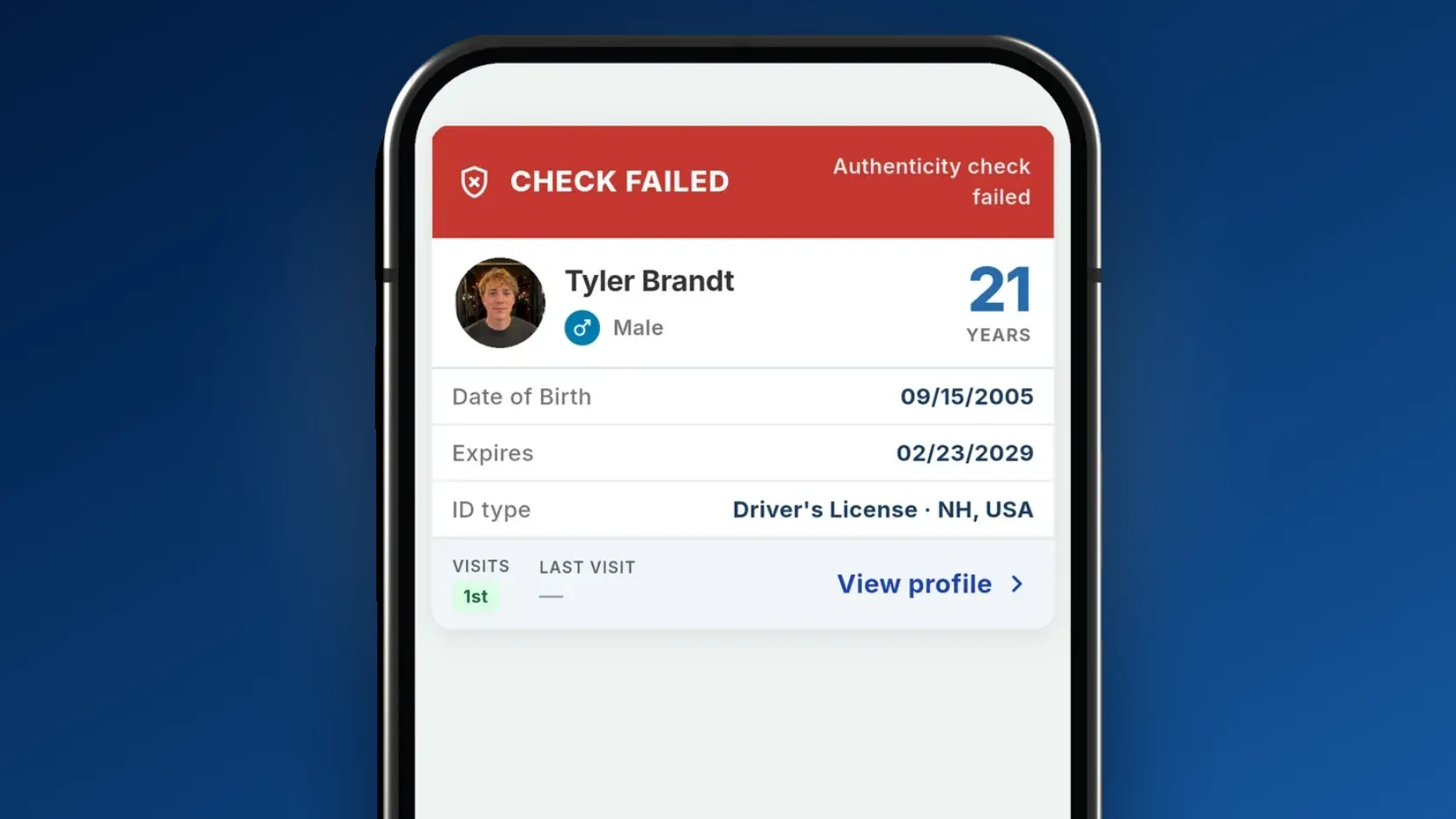
Age worked out from the ID, plus a forgery check on the barcode of US and Canadian licenses. Expired IDs are flagged too. The result shows on screen and your staff makes the call
Three devices, one price
Door, bar, server station. Every plan covers three, so a second entrance is not a second subscription
Works with no signal
Offline scanning, including a cold start. The line at your door never waits on a connection.
How it works
From signup to your first scan in 10 minutes.
Start your trial
Set up your venue in the AgeShield hub. Fourteen days free, with every Pro feature switched on.
Hand your staff the app
iOS or Android, on the phones and tablets they already have. Three devices scan at once on every plan.
Scan an ID
Point the camera at a license, state ID or passport. The result appears on screen and your staff decides.
Watch it in the hub
Every scan, guest and staff action lands in the hub, and you can export it the day someone asks.
What a scan checks
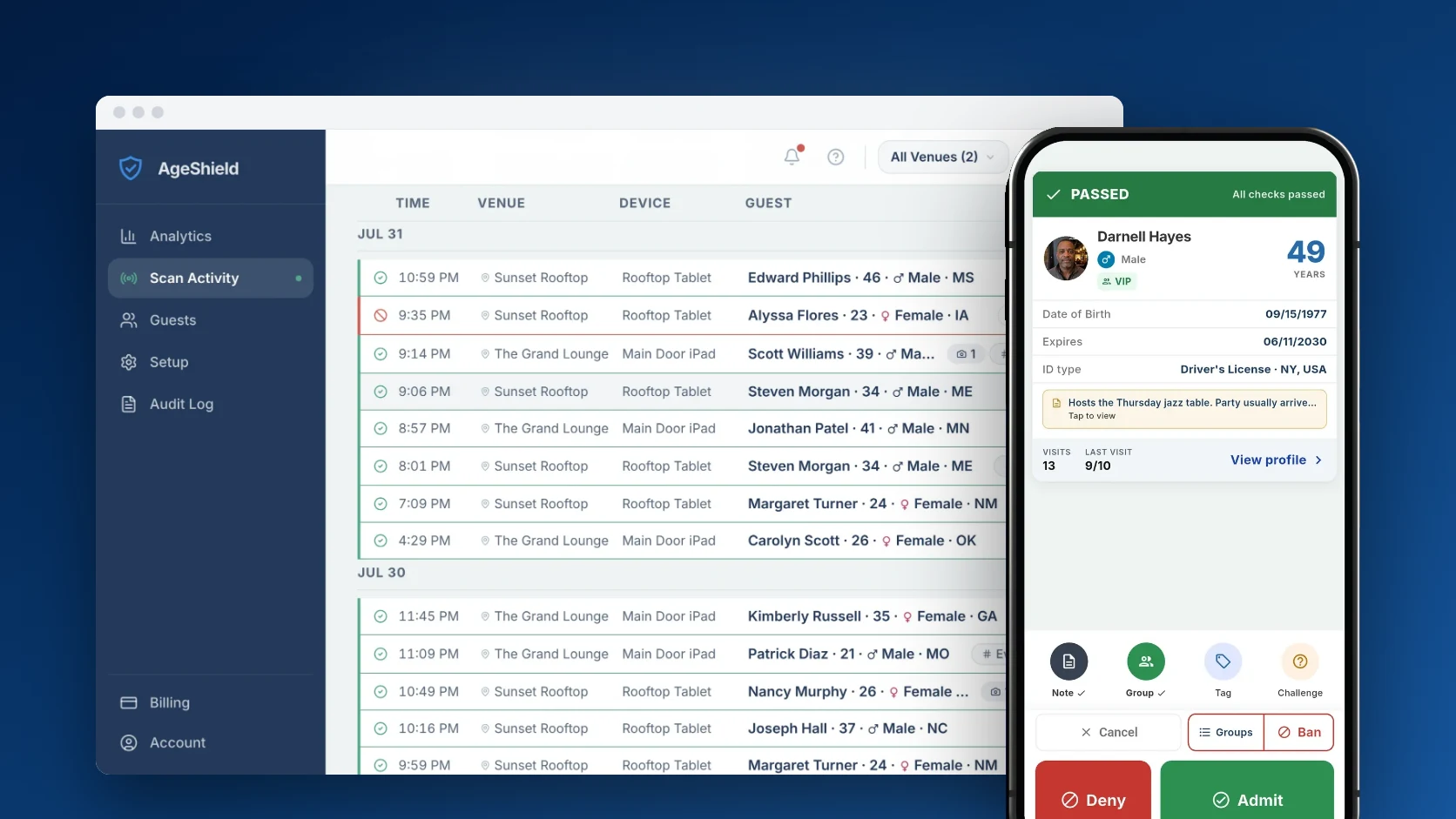
Every scan reads the ID and checks it against your venue's settings and lists before the result shows on screen.
Which IDs it reads
Driver's licenses from the US and Canada and some from other countries, plus US state IDs, US green cards and passports.
Age
The app checks the date of birth against your venue's minimum age. The minimum starts at 21 and you set it in the hub.
Expiry
Expired IDs are flagged unless the venue turns on Allow Expired IDs in the hub. That setting is off by default.
Fake ID check
Every scan mode checks the barcode on US and Canadian licenses and state IDs for signs of forgery. Secure mode reads both sides and also checks that the front matches the back.
Banned and VIP lists
A guest on your Banned list comes up as BANNED with Do not admit, and a guest on your VIP list gets a VIP badge.
A flag describes what the scan observed, such as a barcode that failed its security check, and is not proof that an ID is fake or that it belongs to someone else.
For what each scan mode reads and checks, see how AgeShield checks IDs.
Keeps scanning when the signal drops
The phone works out the result from the lists it already has and syncs visits once it reconnects. If its ban list has not synced for 30 minutes, the app tells staff to verify the guest manually.
The check keeps running on the phone
- 9:07 PMPASSEDQueued
- 9:09 PMPASSEDQueued
- 9:12 PMPASSEDQueued
High risk
Why bars get fined
Fines and liquor license suspensions come back to the same handful of failures at the door.
Your state's rules determine what counts as a good ID check. Our plain-English ID scanning law guides explain when to check ID, what you can keep and what protection the check can provide, including guides for Texas, Florida and New York.
A fake ID gets through
A busy door skips the check
No record of the check when an inspector asks
A barred guest walks back in
AgeShield covers all four.
Verified IDs at the door, a record of every scan in the hub and a Banned list your whole team shares.
Records your door can show
- Flag fake, altered and expired IDs before they become a compliance problem
- See the result on screen the moment a document looks wrong
- An audit log of scans, decisions and setting changes, exportable for inspections and disputes
- You decide what is captured and how long it is kept, enforced strictest-wins across every venue
- Your staff keeps full control over entry decisions
The app checks IDs. The hub runs your venue.
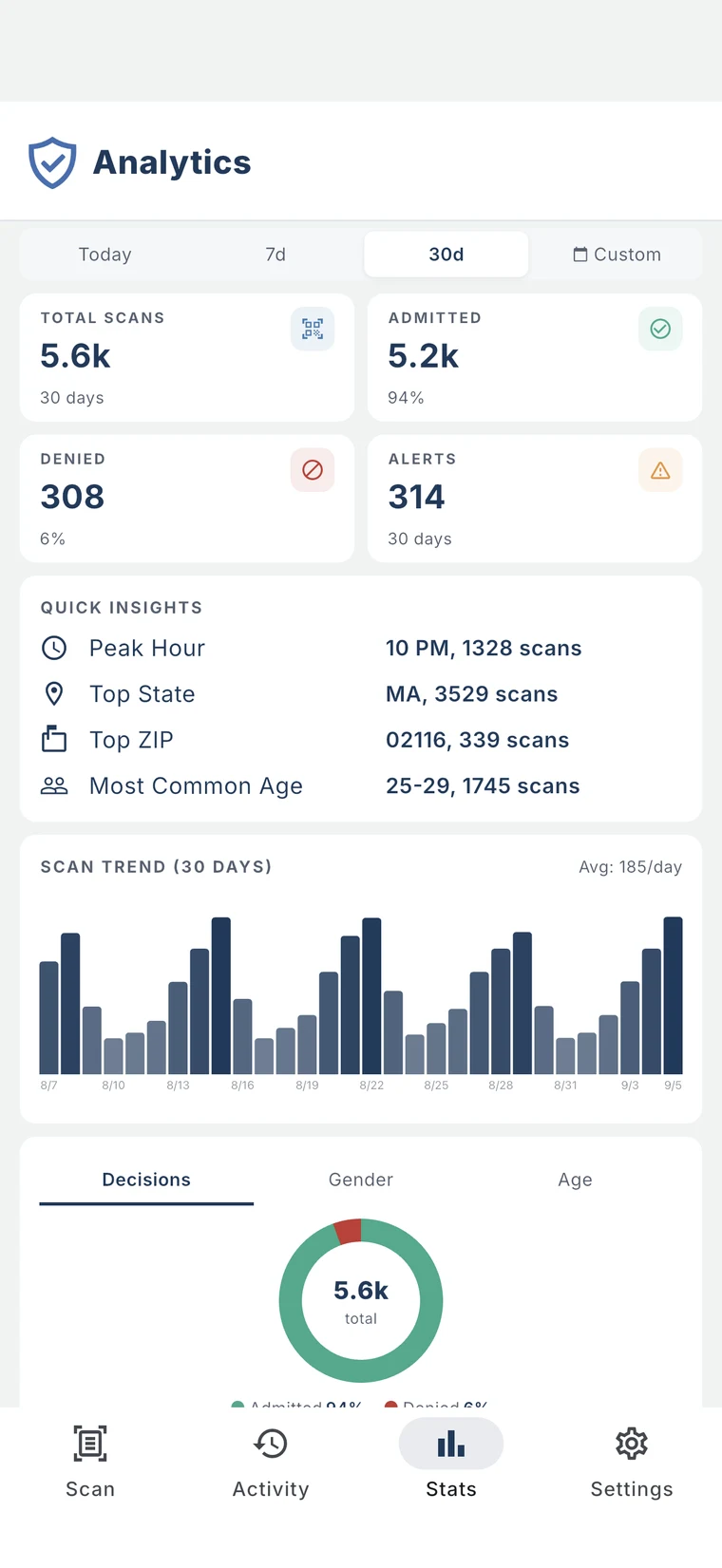
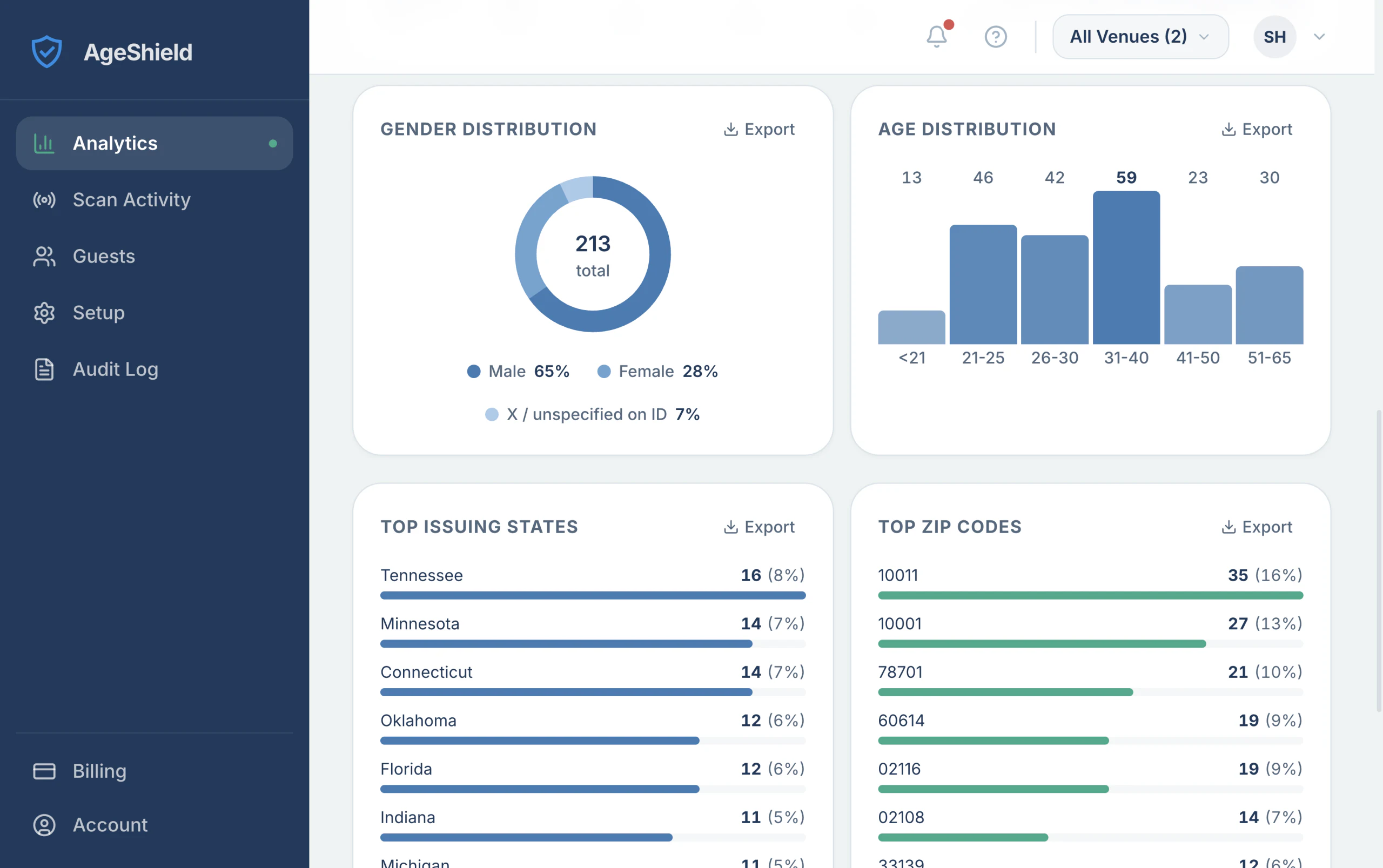
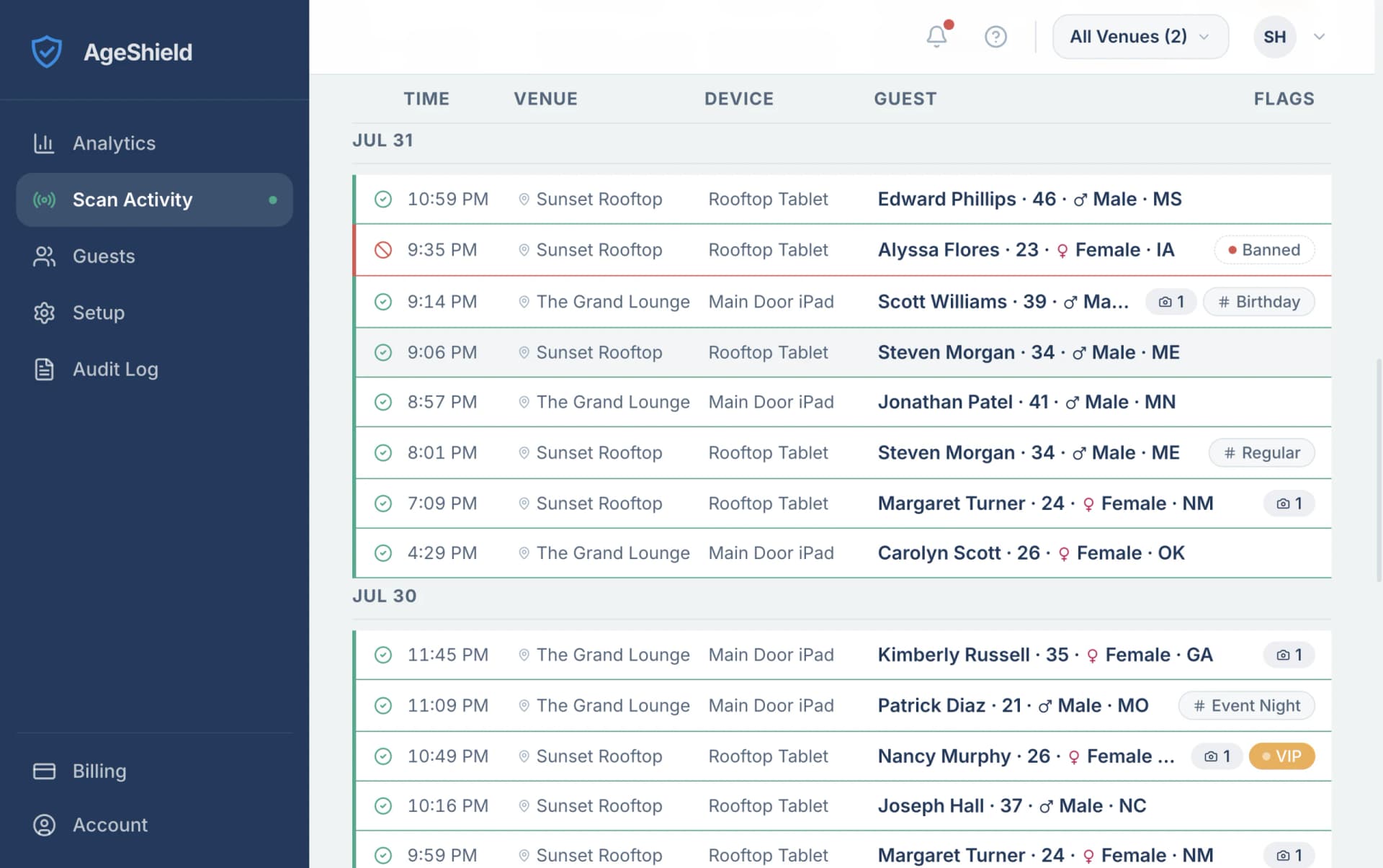
Every scan flows into the AgeShield hub in real time, on any browser. It is where you run the venue and pull the records someone asks for.It is where you see what happened at the door, decide who gets in, manage your team and devices, then produce the records someone eventually asks for.
- AnalyticsVisit volume, peak hours and venue-by-venue comparison.
- Scan Activity
- Guests
- Groups and Banned list
- Team & Audit log
Scan Activity
Every scan as it happens, by venue and by device.
Guests
Returning patrons recognized on scan, with their visit history in front of your staff.
Groups and Banned list
Built-in Banned and VIP lists that alert staff instantly. Custom groups on Pro.
Team
Invite managers and staff, then set what each of them can see.
Devices
Enroll, name and retire devices yourself. Three scanning at once on every plan.
Audit log
Every scan, decision and setting change, with who did it and when. Exportable.
Analytics
Visit volume, peak hours and venue-by-venue comparison.
Billing
Plan, invoices and device slots, all self-serve.
You set the privacy rules. Keep guest details for anything from nothing at all up to 2 years on Core or 5 on Pro. The strictest setting always wins.
You set the privacy rules. Choose what is captured and how long it is kept. A new venue keeps guest details for 30 days, and you can set that anywhere from nothing at all up to 2 years on Core or 5 years on Pro. The strictest setting always wins across your venues.
Start free. Pick your plan later.
Try every Pro feature free for 14 days.
Three devices for $499/year vs. $2,100/year with a widely used ID scanning solution.
| What you get | Core$41.58per month$499/year | Pro$58.25per month$699/year |
|---|---|---|
| Fake ID checks | Included | Included |
| Driver's licenses, state IDs, green cards and passports | Included | Included |
| Guest Profiles | Included | Included |
| Banned, VIP and Regulars lists | Included | Included |
| Audit Log Export | Included | Included |
| Field-by-field privacy controls | Included | Included |
| No per-scan fees | Included | Included |
| Guest Images with each scan | Not included | Included |
| Custom Groups | Not included | Included |
| Visit Tags | Not included | Included |
| Guest details kept for | 2 years | 5 years |
| Additional device | $13.86/mo | $19.42/mo |
Nothing charged today. You pick your plan at the end of the trial.
Billed $499/year
Everything you need at the door, for one venue.
- Licenses from any country, US state IDs, green cards and passports
- Fake ID checks
- Guest Profiles
- Banned, VIP and Regulars lists
- Audit Log Export
- Field-by-field privacy controls
- 3 devices scanning at once
- No per-scan fees
- Guest details kept for up to 2 years
Additional device: $13.86/month, billed $166.33/year
Start 14-day free trialBilled $699/year
Everything in Core, plus:
- Guest Images stored with each scan
- Custom Groups beyond Banned and VIP
- Visit Tags for incidents and promotions
- Guest details kept for up to 5 years
Additional device: $19.42/month, billed $233/year
Start 14-day free trialAll prices exclude sales tax.
Three devices from the start. Door, bar and server on one plan.
All three share the same Banned list, so a banned guest is flagged wherever they're scanned.
- Your door
- Your bar
- Your servers
Questions from the door
What bar and club owners ask before they start a trial.
Do I need to buy a scanner?
No. AgeShield runs on the phones and tablets your staff already have: an iPhone or iPad on iOS 15.5 or later, or an Android phone or tablet on Android 8.0 or later. Every plan covers three of them scanning at once.
Can the door and the bar share one banned list?
Yes. Every phone at a venue checks the same Banned and VIP lists, so once the phones sync, a guest banned at the door comes up as banned at the bar too. If you run more than one venue, you can share one Ban List across all of them.
What about passports and out-of-state licenses?
Yes, both scan. The app reads driver's licenses from every US state and from Canada, US state IDs, US green cards and passports. Some licenses from other countries scan too. A passport scans from its photo page in any scan mode. National ID cards from outside the US are not on the list.
What if an ID won't scan?
Staff can try again or tap Manual Entry and type the details in, and the visit is recorded as a manual entry. Manual Entry is on by default. If you want every ID scanned with the camera, switch it off in the hub.
How many devices do I get?
Three scanning at once, on both Core and Pro. Need more? Add a slot any time and it takes effect immediately.
What happens when the trial ends?
On day 14 you move to Core Monthly at $49 per month plus applicable sales tax, unless you pick Pro or cancel first. We remind you on days 7, 11 and 13.
Can I cancel anytime?
Yes. No long-term contract. Cancel from Billing in the hub. Cancel before day 14 and you are not charged.
Are there any discounts?
Yes, two. Paying annually brings Core to $499 a year instead of $588 month to month, which saves $89. And if you are opening your first bar, club or restaurant, email us and we will put a discount on your first year.
Why do you ask for a card if the trial is free?
Nothing is charged when you start. The card is there so an ID scanner cannot be opened anonymously: a free, no-questions scanner is most useful to someone testing fake IDs against it. Checkout takes a US-issued card, the email has to be verified, and the trial is one per owner. We also watch for accounts that behave like a test bench rather than a venue, and we report what we find to the authorities where we believe a crime is involved.
How long does it take to train staff?
The app has one job: point the camera at an ID. Everything else, including devices, lists and permissions, is set up by an owner or manager in the hub.
Does it work offline?
Yes. AgeShield scans offline, including from a cold start, so your door keeps moving without Wi-Fi.
Still have a question? Ask us directly
Your first three devices are included
Scanner apps usually charge for each device, so covering your door, your bar and your server station means paying three times. AgeShield counts devices too. We just start you at three, on Core and Pro alike. A fourth device slot is $13.86 a month on annual billing, or $16.33 month to month, and every slot after that is the same price as the fourth.
Your door
Security staff checking IDs on the way in
Your bar
A second check at service, with no queue at the entrance
Your servers
Table service on the floor, same lists, same records
All three on one plan, from $499 a year.
Start your 14-day free trialBuilt for the people working the door
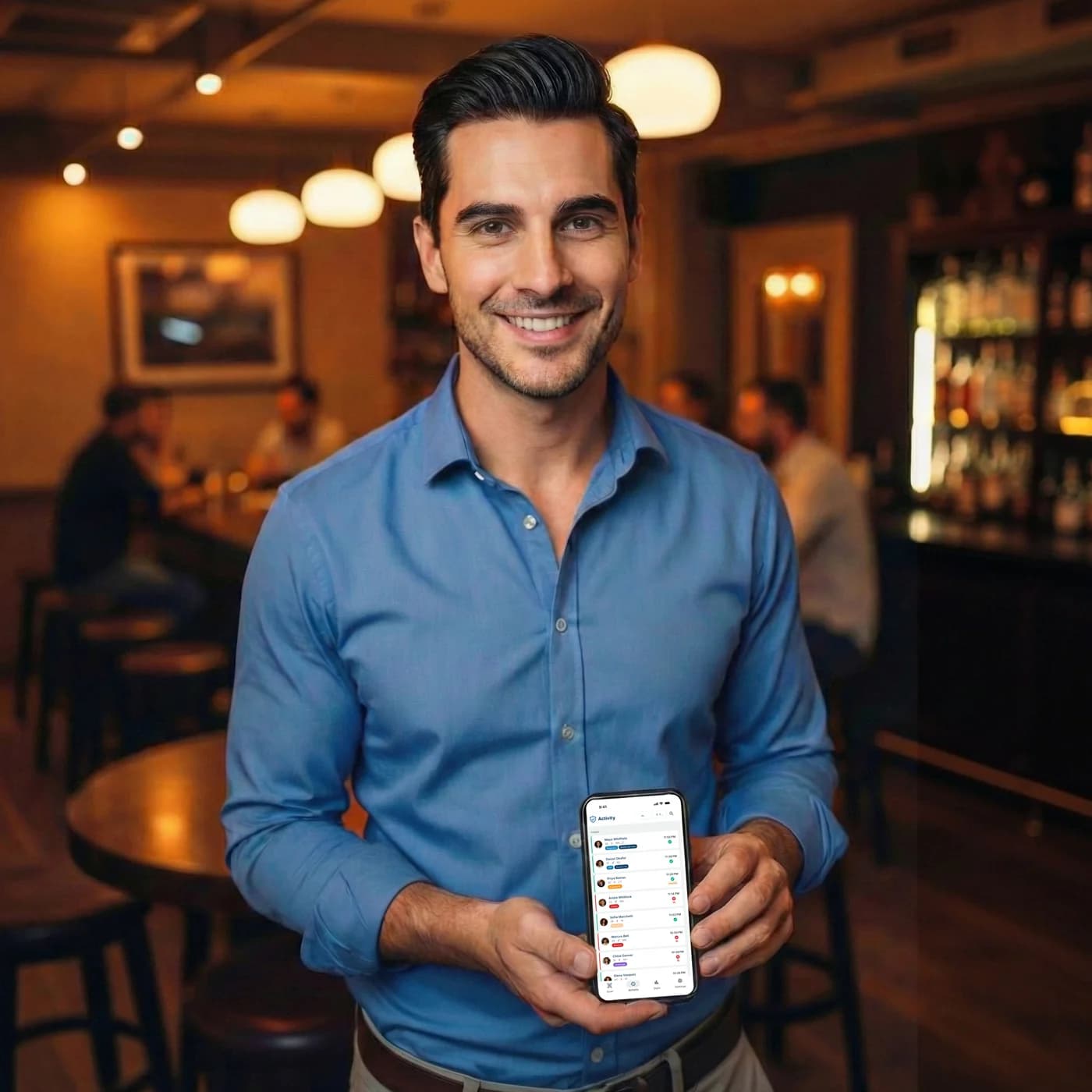
AgeShield is built and run by AgeShield LLC in Boston, Massachusetts. We make one thing: age verification that a busy venue can actually use on a Friday night. That means scanning on phones your staff already carry, records that stand up to an inspection and pricing that does not punish you for covering more than one entrance.
Email usTalk to our team
Questions about plans, devices or getting your venue set up? Send us a note and we will come back to you.
Start your free trial
Fourteen days, every Pro feature switched on, on up to three devices. Set up your venue in the hub and you can be scanning the same night.
Start your 14-day free trialAlready have an account? Sign in to the hub
Product updates about once a month. Unsubscribe any time.
Product updates and new-state announcements by email, about one a month. Unsubscribe from any of them.
Related resources
See the pieces around the scan: fake ID checks, state rules and what the setup costs.
 GuideGuide
How to spot a fake ID
See what staff can spot by eye, then what a scanner can catch that they cannot.
 State lawState law
ID scanning laws by state
Check the rules that matter at the door: when to check ID, what you can keep and what protection applies.
 ProductProduct
Pricing
See what you get for the price: included devices, Pro features and the 14-day free trial.