
The hub is where your venue actually runs
The app checks IDs at the door. Everything else happens here, in any browser, in real time.
Start your 14-day free trial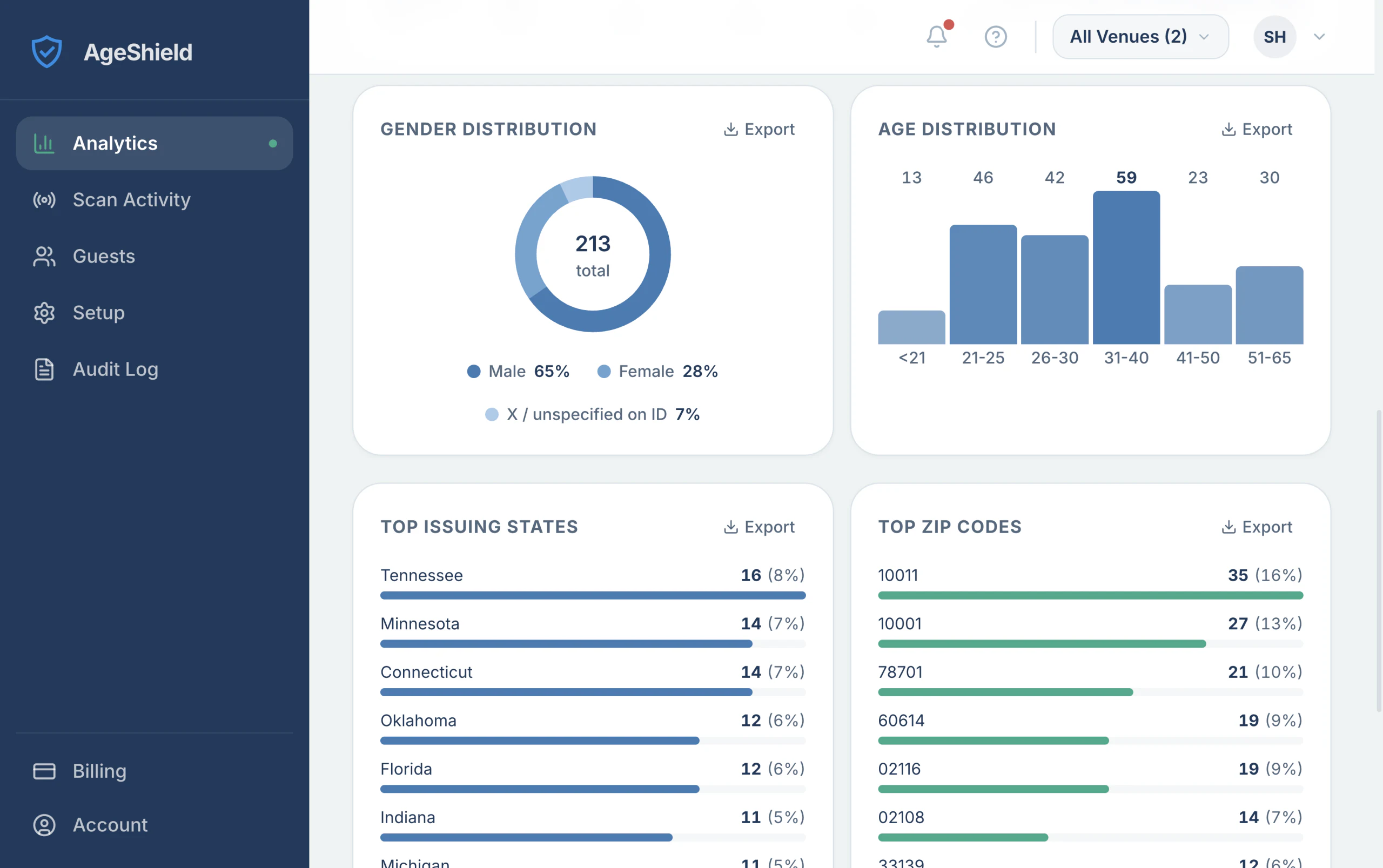
Scan Activity · Guests
See what happened at the door
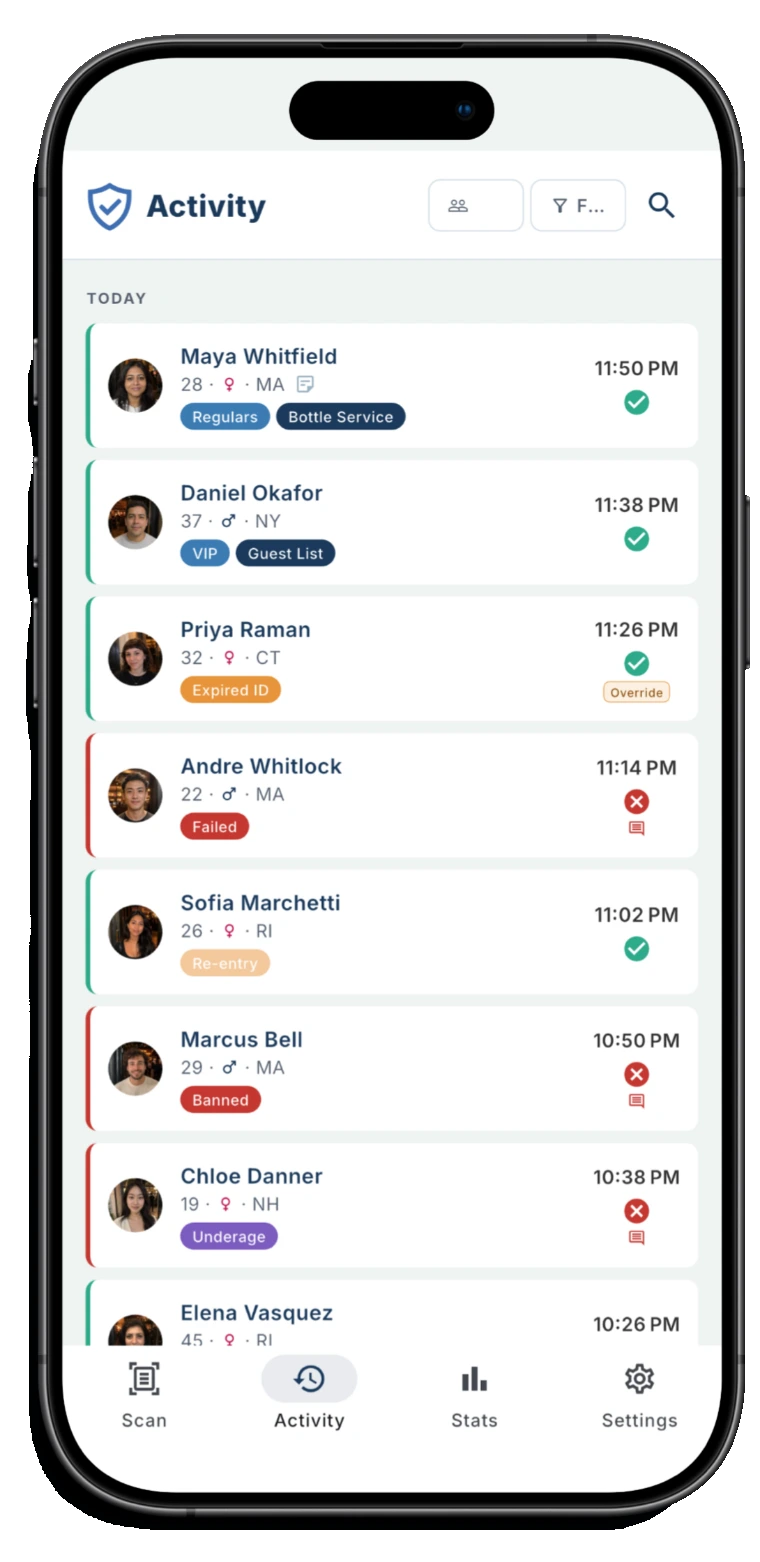
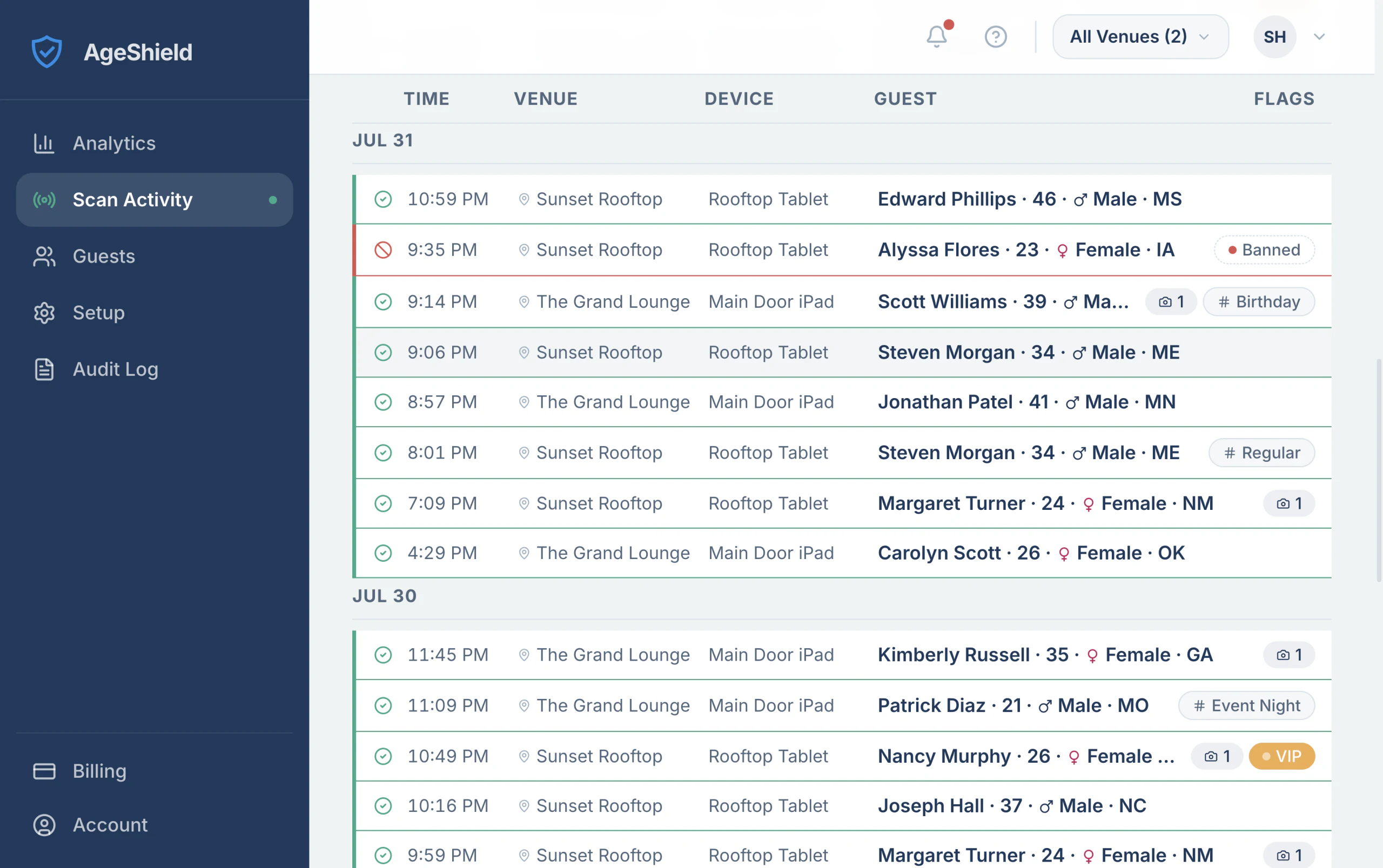
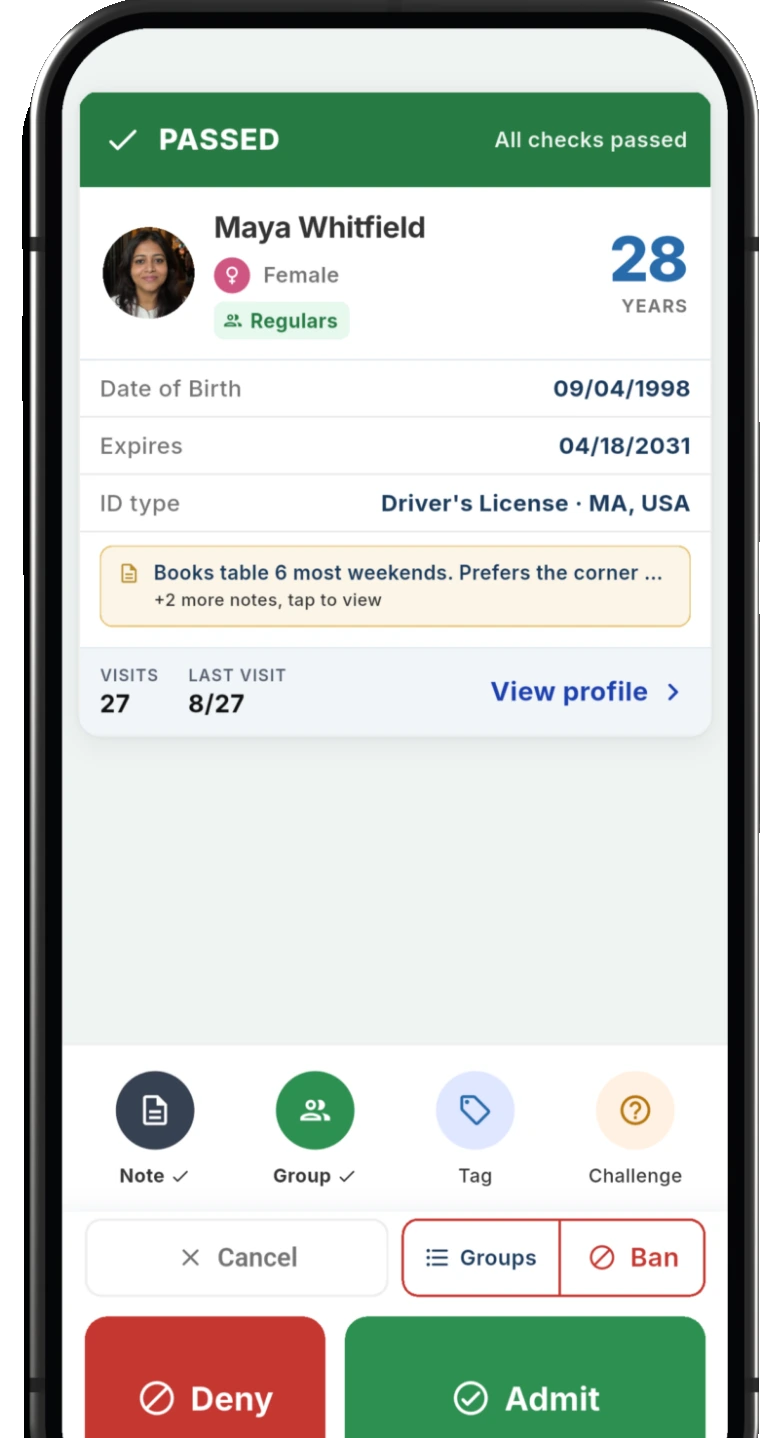
The live scan feed, by venue and by device, updating as your staff works. Admitted, denied and cancelled are distinguishable at a glance. The flags column surfaces a banned guest or a VIP without anyone opening a record.
Returning patrons are recognized the moment they scan, so the person checking IDs sees the history rather than having to go looking for it.
Analytics
Know your room
Who actually comes through your door and when. Age and gender breakdowns, hour-by-hour distribution and where your guests' IDs are issued.
Useful well beyond compliance: it is the difference between guessing at your staffing and knowing which hours carry the room.
Guests · Visit history · Notes · Groups
Know your regulars
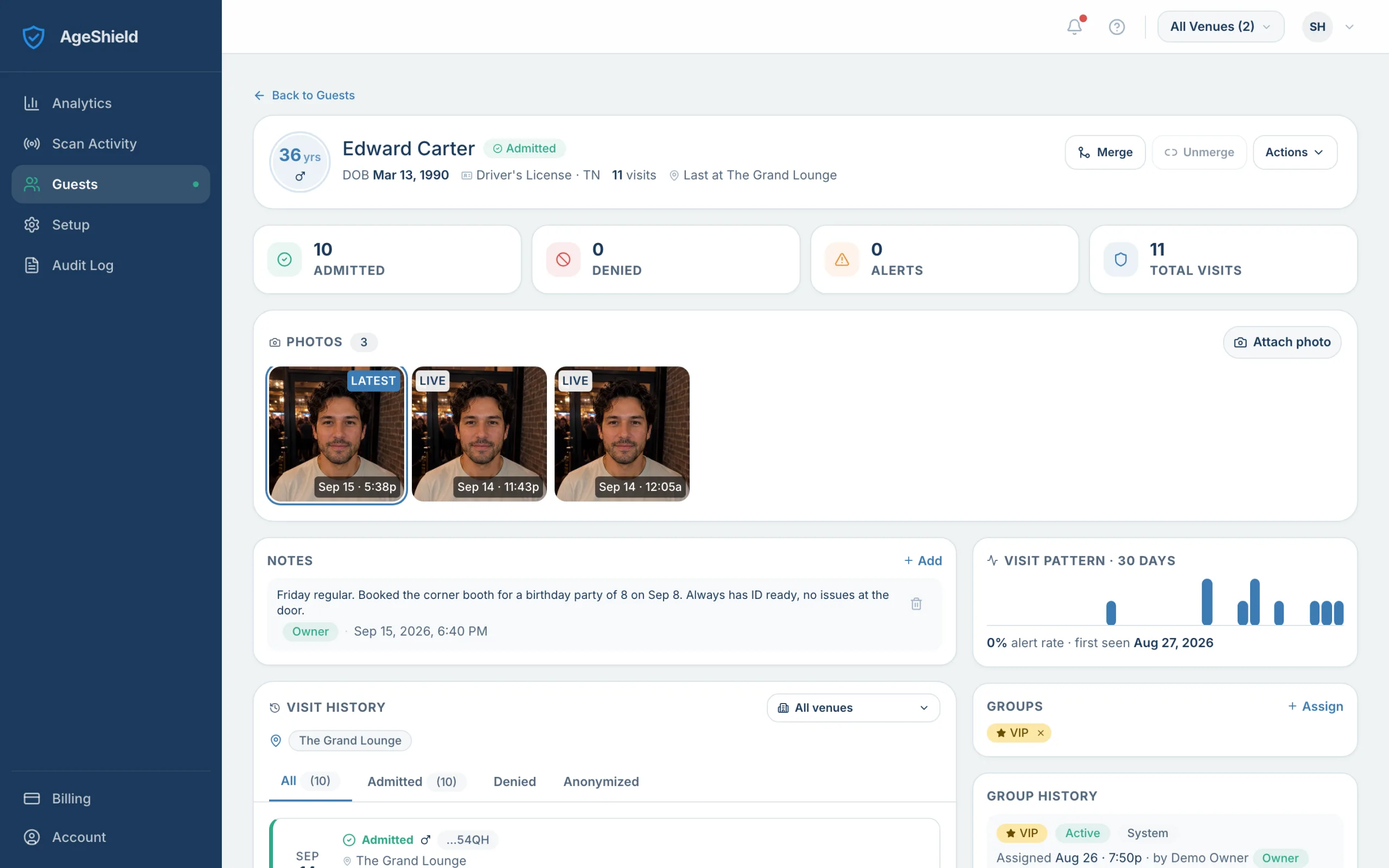
Every returning guest builds a profile: how many times they have come, when they were last in, which of your venues and how the door went each time.
Add a note your whole team sees at the next scan, put them on VIP or Regulars, tag a visit. The person on the door gets the history without asking anyone.
Visit detail · Groups · Banned list · Visit Tags
Decide who gets in
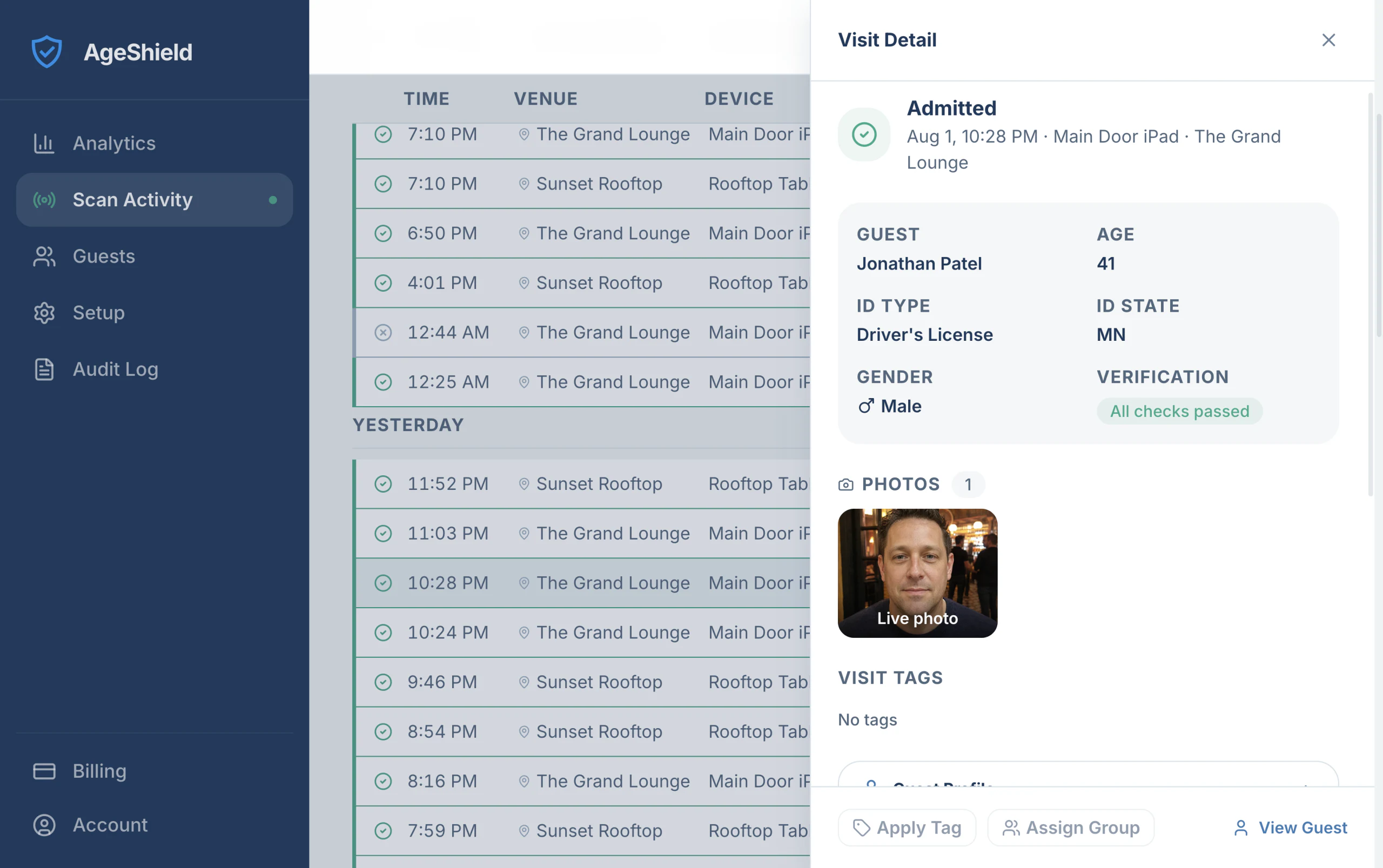
Every scan opens to the full record: the verdict and why, the ID type and the issuing state. On Pro, with photos switched on, the shot taken at the door sits there too.
From the same panel your staff can tag the visit or add the guest to a group, so the next venue and the next shift both inherit the decision. Built-in Banned and VIP lists alert instantly; custom groups are yours to define on Pro.
Records that hold up
The audit log records every scan, decision and setting change, with who did it and when, and who opened a guest's details or photos. Export it for a compliance review, an insurance question or a dispute with a patron. It is the part of AgeShield you hope never to need and are glad exists when you do.
Privacy and retention, your call
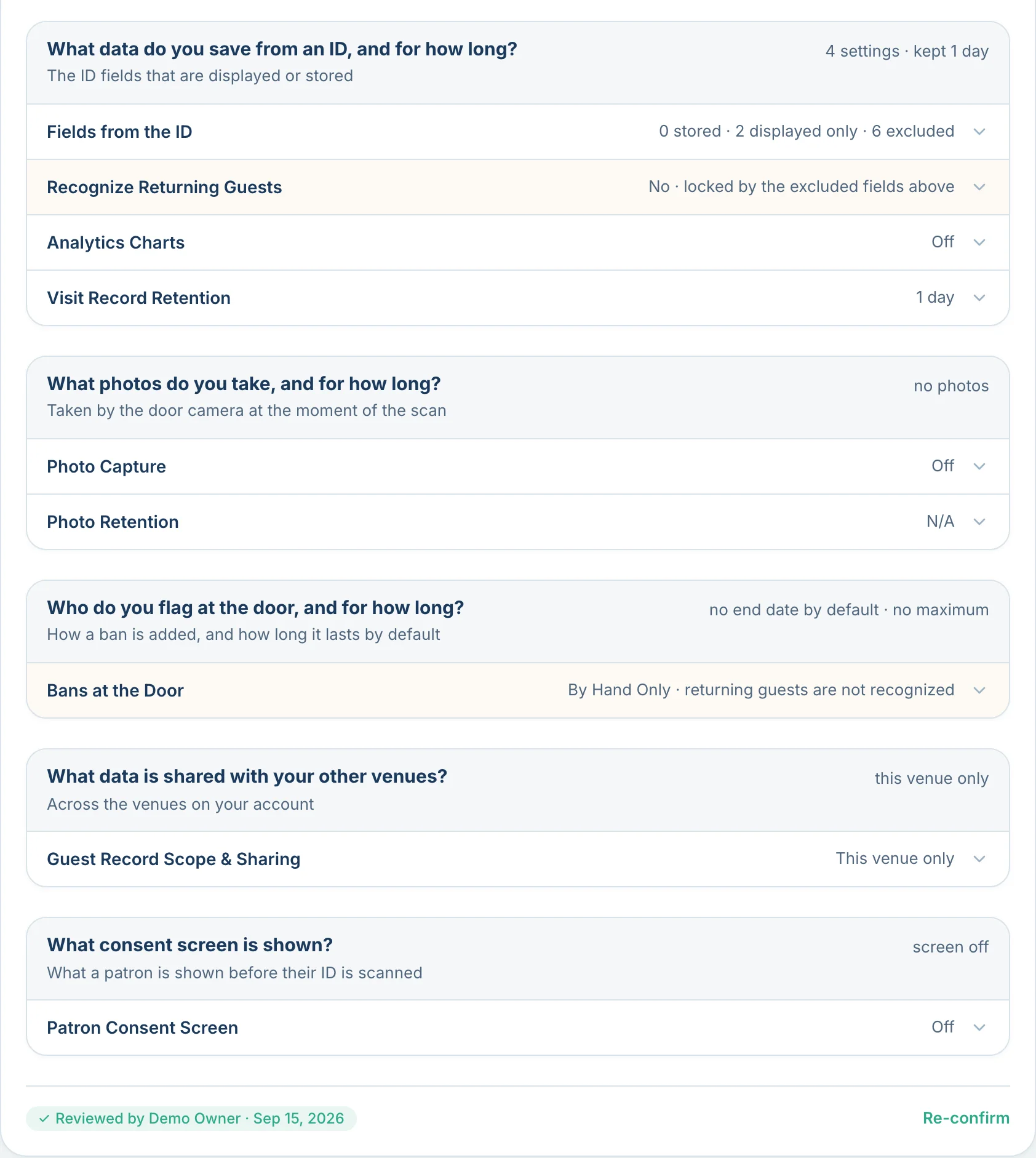
You choose what personal data is captured and how long it is kept. A new venue starts at 30 days, and you can go up to 2 years on Core or 5 years on Pro, or down to nothing at all. Where settings differ across your venues, the strictest one wins, so a tighter rule in one place is never quietly loosened by another. See the privacy controls
What happens before a record exists is on how AgeShield checks an ID. Guides, comparisons and the state ID scanning law directory are on the resources page.
Related resources
What the hub shows you comes from the door: how a scan works, what you choose to keep and how to set up your first venue.
- Product
 Product
How AgeShield works
See what happens in the two seconds after a scan: age checks, fake ID signals and what your venue keeps.
 ProductProduct
Privacy controls
Choose what you keep and for how long: ID fields, visit retention and tighter data collection.
 ProductProduct
Setting up your first venue
Get opening-night setup right: devices, staff access, privacy controls and the ID-checking workflow.
See it with your own venue in it
Fourteen days, every Pro feature switched on, on up to three devices.
Start your 14-day free trial